

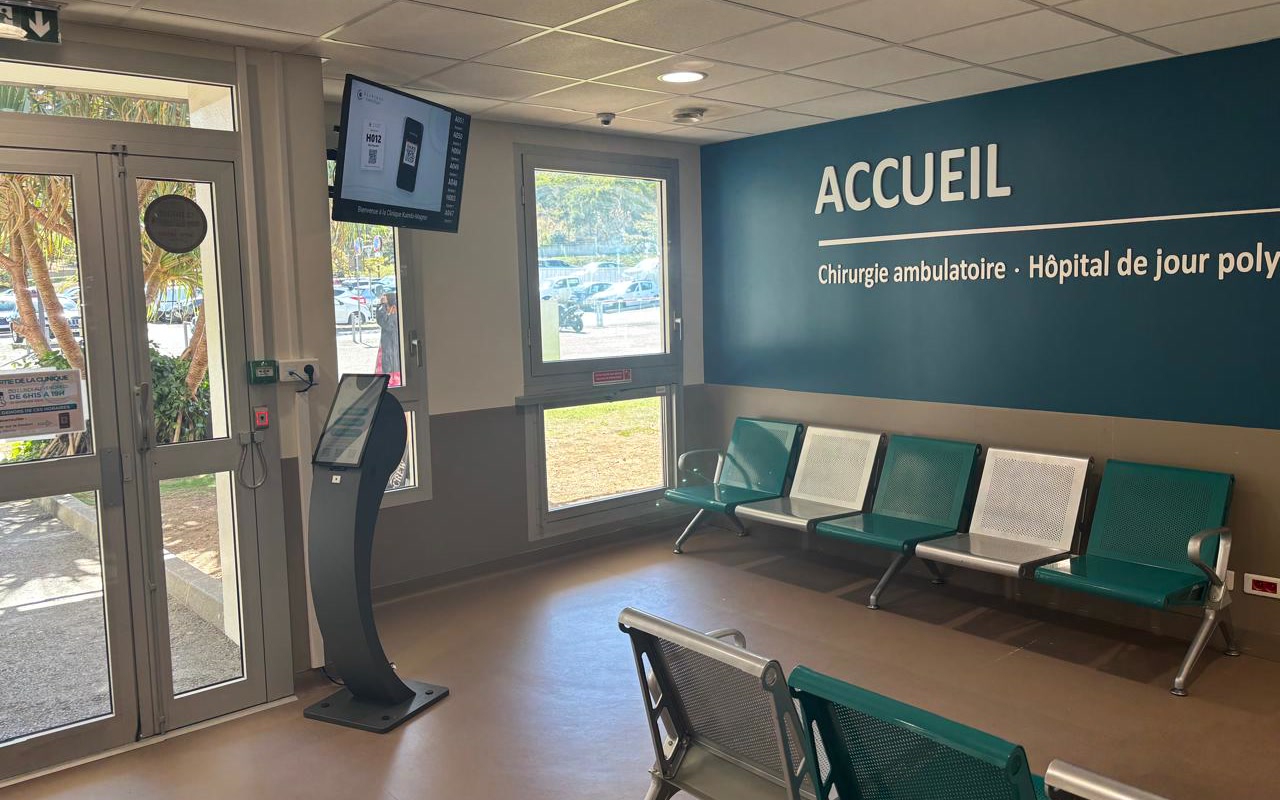
Kuindo-Magnin Clinic: a new reception, a rethought patient journey
The Kuindo-Magnin Clinic in Nouméa has set up, with VisualCom, a queue management system for the reception of ambulatory surgery, the multipurpose day hospital and continuing care, using a Voyager ticket kiosk, a Philips voice-calling screen and the hosted Qmatic Orchestra platform.
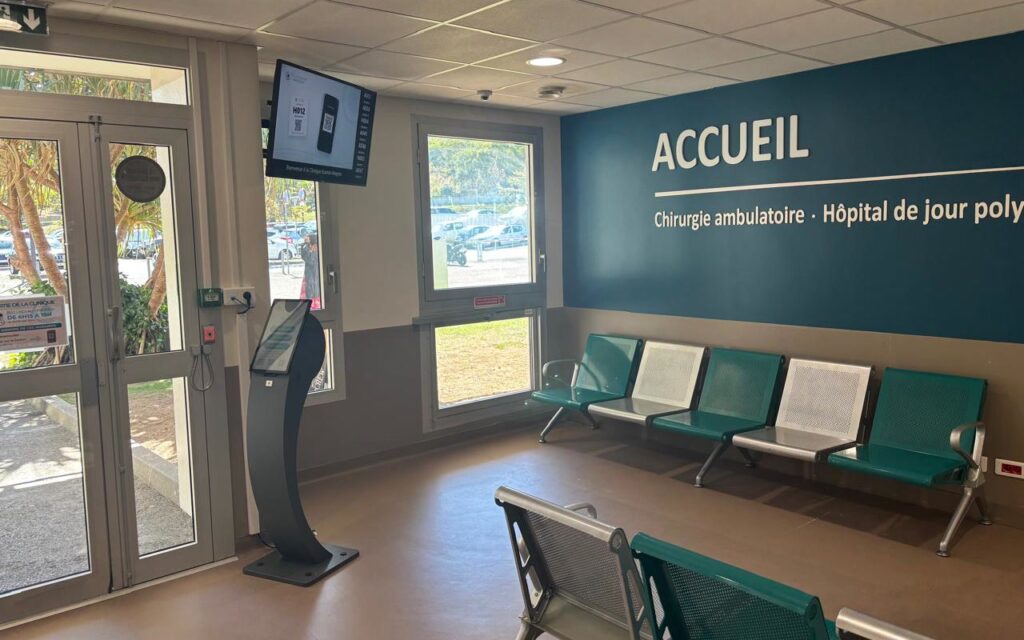
patient journeys: without appointment and with appointment
services served: ambulatory surgery, multipurpose day hospital and continuing care
Philips screen for display and voice calling of numbers
Reducing waiting time and organising two patient journeys
The Kuindo-Magnin Clinic is improving the reception of its patients in ambulatory surgery, multipurpose day hospital care and continuing care. The challenge: reduce waiting time and organise two journeys, from arrival to care. The first is without appointment (walk-in), the second with appointment.
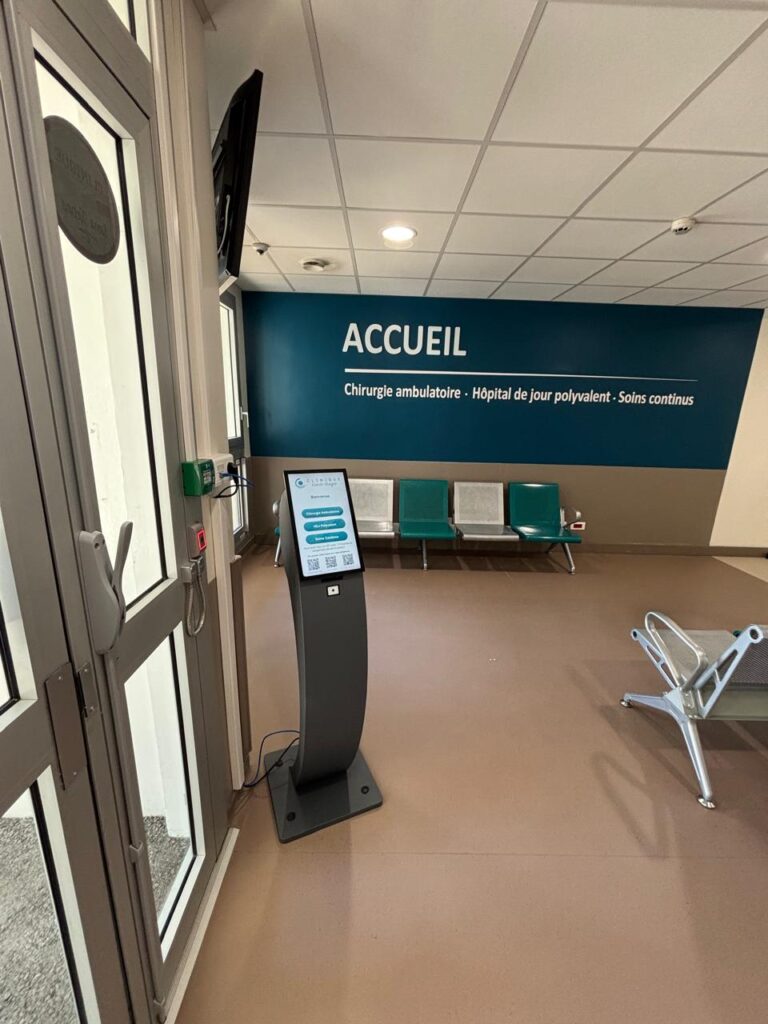
The solution combines a Voyager ticket kiosk designed by VisualCom, a 43-inch Philips screen for voice calling of numbers and our hosted Qmatic Orchestra queue management platform. The project was delivered in a few weeks.
How does the walk-in journey work?
The first journey is already live:
• The patient chooses the relevant service directly on the kiosk: ambulatory surgery, multipurpose day hospital or continuing care
• The ticket is printed with the chosen service
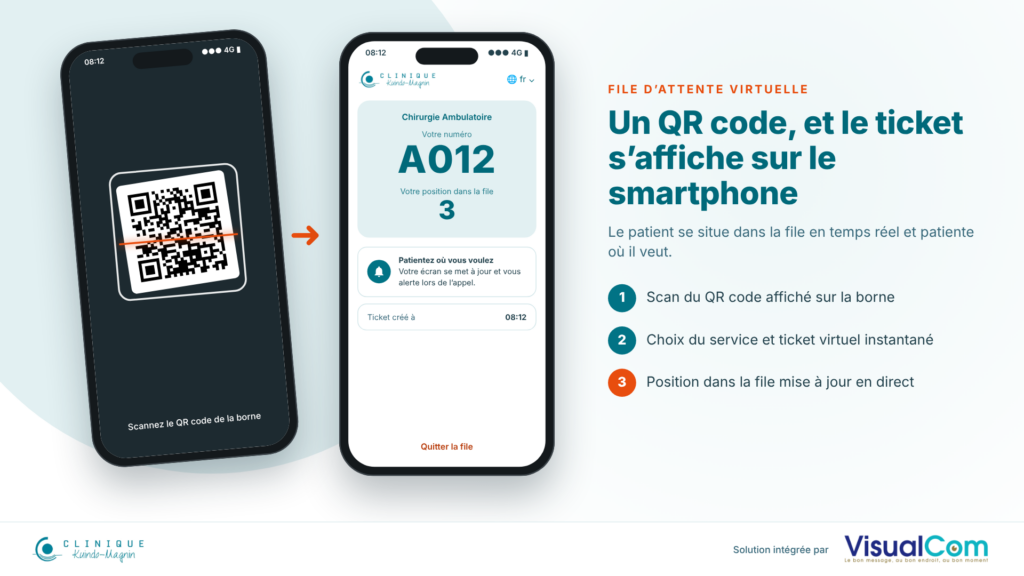
• Another option: scan a QR code with a smartphone to see the ticket in a virtual queue
• The patient sees their place in the queue and can wait wherever they like
One QR code, and the ticket appears on the smartphone
• Scan the QR code displayed on the kiosk
• Choose the service and get an instant virtual ticket
• Position in the queue updated live
And with an appointment?
The journey with appointment is currently in a dry run, but promises to significantly reduce waiting time. The patient scans the QR code received by e-mail or SMS, or types their code on the kiosk. Their ticket is then printed automatically and staff are notified of their arrival. The patient then goes to the waiting room.
For the integration of appointments, nothing would have been possible without the Orchestra API, which allowed the clinic’s developers to integrate the solution with their existing business tools.
How are patients called?
In the waiting room, the display of numbers already called lets patients see where they are in the queue. When a number is called, a voice announcement accompanies the display to help with orientation, in particular for visually impaired people.
A project delivered in a few weeks
Thank you to the Kuindo-Magnin Clinic teams for their trust and responsiveness on this project, delivered in a few weeks.
Frequently asked questions about queue management at the Kuindo-Magnin Clinic
Which solution was installed at the Kuindo-Magnin Clinic?
A Voyager ticket kiosk designed by VisualCom, a 43-inch Philips screen for voice calling of numbers and the hosted Qmatic Orchestra queue management platform.
Which clinic services are concerned?
The reception of ambulatory surgery, the multipurpose day hospital (HDJ) and continuing care.
How does the walk-in journey work?
The patient chooses their service on the kiosk and the ticket is printed with the chosen service. They can also scan a QR code with their smartphone to see their ticket in a virtual queue and wait wherever they like.
How does the journey with appointment work?
The patient scans the QR code received by e-mail or SMS, or types their code on the kiosk. Their ticket is printed automatically and staff are notified of their arrival. This journey is in a dry run.
Is the solution accessible to visually impaired people?
Yes, a voice announcement accompanies the display of called numbers to help with orientation, in particular for visually impaired people.
How were appointments integrated?
Through the Orchestra API, which allowed the clinic's developers to integrate the solution with their existing business tools.
A queue management, digital signage, web development or IoT project?
Contact VisualCom on +687 27 22 84 to discuss it.